Foodops
All docs

Settings · Updated 2026-08-15 · vb2d43e3

Service Fees — Automatic Charges

Audio narration for this article is generated with the weekly docs refresh.

Plain-English summary

A service fee is a percentage charge that automatically adds to qualifying orders — most commonly a 10% service charge on dine-in orders. Unlike discounts (which subtract), service fees add. Unlike taxes (which are government-mandated), service fees are restaurant policy. They appear as a separate line on the receipt between Subtotal and Tax.

When you'd use this

  • Dine-in service charge (10% is standard in Maldives F&B)
  • Delivery fee (flat or percentage, applied to delivery orders)
  • Large-party surcharge (groups of 8+, auto-applied when Covers > N)
  • Event catering markup

How to access

  • URL: /settings/organization/service-fees (admin backoffice — admin.foodops.io)
  • Sidebar: Settings → Accounting → Service Fees (moved from the Organization group to Accounting in the new stack)

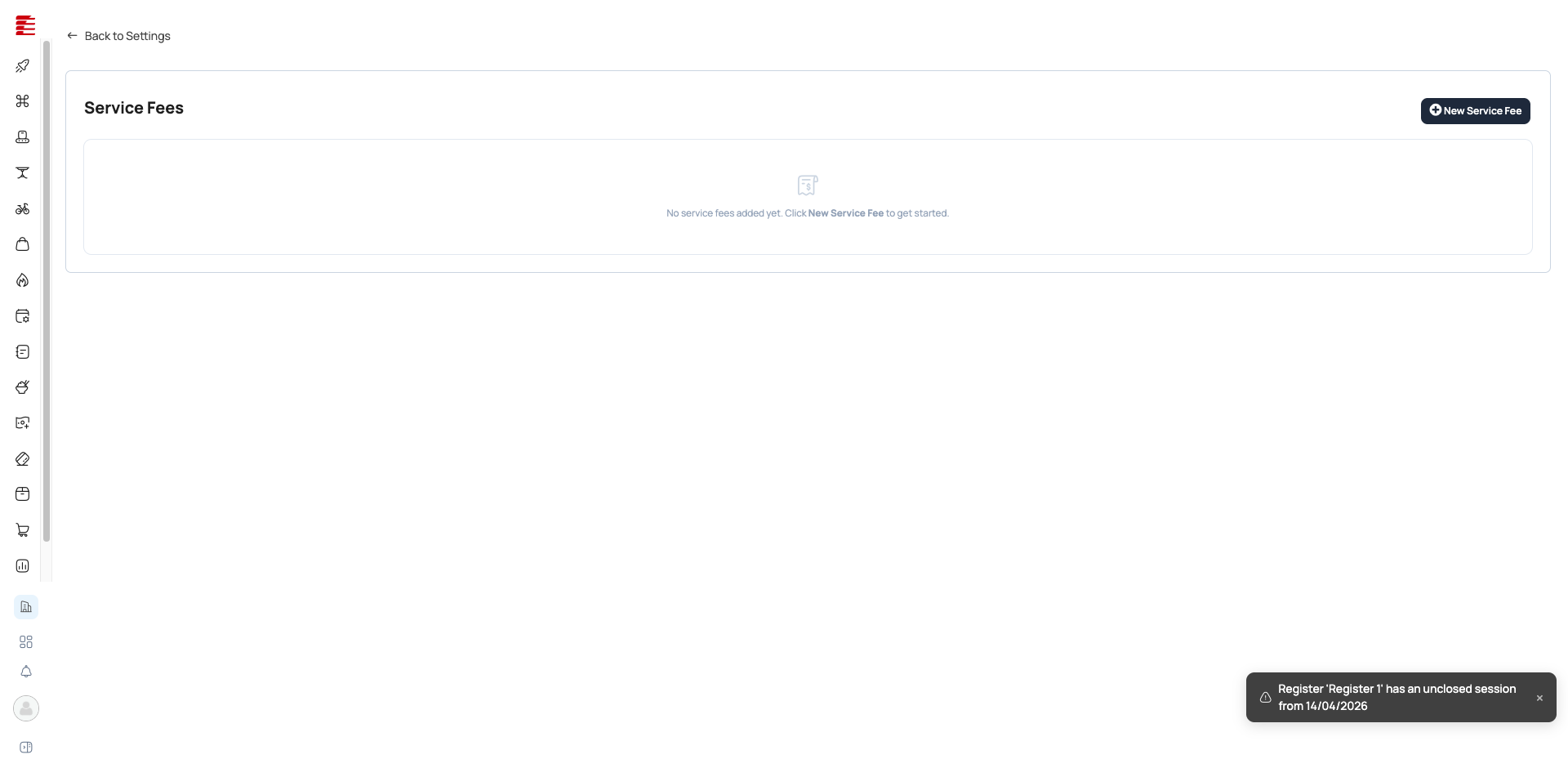
Service Fees page — configuration for automatic charges

The legacy app.foodops.io Service Fees page is retired at the July-2026 launch. The service-fee list + add/edit dialog now live in the admin backoffice, backed by hubits-api-sales SettingsController (service-fees endpoints).

Configuration

The new-stack "New service fee" dialog collects four things:

Field Purpose
Name Display label on receipt (e.g., "Service charge", "Delivery fee")
Value The fee amount (a flat amount or a percentage, per Type)
Type Toggle: Fixed or Percent (serviceFeeRateTypeId === 2 = percentage)
Apply to order types Toggles: Dine-in / Delivery / Takeout (default all on)

[code: foodops-admin-app/apps/admin/src/components/settings/organization/ServiceFeeFormDialog.tsx — payload = {name, value, serviceFeeRateTypeId, taxTypeId, chartOfAccountId, dineInEnabled, deliveryEnabled, takeoutEnabled} @ main]

Warning: Tax Type and Chart of Account fields are BACK (re-added) The legacy form had a per-fee Tax Type dropdown and a Chart of Account dropdown (the latter added by commit 11da4a6 in the retired monolith). Both fields were removed in the initial new-stack dialog, then re-added by foodops-admin-app commit range 2e6faec..4136a33 ("enhance ServiceFeeFormDialog with tax and account selection"). Tax Type is now a required dropdown (auto-preselects the org's default tax, else the first tax in the list, when creating). Chart of Account is an optional dropdown (defaults to none). The create/edit payload now carries name / value / serviceFeeRateTypeId / taxTypeId / chartOfAccountId / the three order-type flags — isPercentage is gone, replaced by the numeric serviceFeeRateTypeId. (An Active toggle is still not in the add/edit form per this diff; activation is managed from the list, not the dialog.)

New Service Fee form — LEGACY app.foodops.io form (Name, Rate Type, Amount, Tax Type, Chart of Account, Apply to Order Types) — retired

Multiple fees can co-exist (e.g., 10% dine-in service + 5% delivery fee). They stack additively.

Auto-apply by order type

A service fee is mapped to the order types it applies to (ServiceFeeOrderType). When an order is created, the order auto-attaches every service-fee type mapped to its order type (filtered to the current org). So a dine-in-only service charge never lands on takeout. [code: hubits-api-sales/Hubits.Sales.Api/Services/Counter/Orders/OrderCreationService.cs:285-298 — query ServiceFeeOrderTypes Where RestaurantOrderTypeId == table.RestaurantOrderTypeId && ApplicationOrganisationId == CallContext.ApplicationOrganisationId, then add a SalesOrderServiceFeeType per match @ main]. A fee only applies if its ServiceFeeType is Active (the read joins ServiceFeeType / ServiceFeeHelper.GetForOrderType).

How it flows through an order

Subtotal (items)     MVR 100.00
Service Charge (10%)  MVR  10.00
Subtotal + Service   MVR 110.00
GST 8% on above      MVR   8.80
Total                MVR 118.80

Info: Tax is calculated AFTER service fee The service fee increases the taxable base. This is the standard Maldives treatment — service charge is part of the supply, so GST applies on top. Confirm with your accountant if operating in a different jurisdiction.

Note (new stack): the per-fee Tax Type selector was removed from the initial new-stack admin dialog, then re-added as a required dropdown by foodops-admin-app commit range 2e6faec..4136a33. Each service fee now again carries an explicit taxTypeId link, similar to the legacy form. Whether/how this feeds the order-level tax calc (i.e. whether the receipt-row example below still holds) is not yet first-party confirmed — treat as residual until checked.

Key concepts

  • Service fee — a non-discretionary charge added by the restaurant. Customer can't opt out (unlike voluntary tips).
  • Rate — always a percentage. For flat charges (e.g., MVR 15 delivery fee), use a line item instead of a service fee.
  • Tax stacking — service fee is added to subtotal before tax calculation. Receipt shows: Subtotal → Service → Tax → Total.
  • Order-type scope — dine-in-only service charges don't hit takeout orders. Configure per order type.

Common questions

Q: Is a service fee the same as a tip? A: No. A service fee is restaurant-set, non-discretionary, appears on every qualifying order, and is part of the restaurant's revenue. A tip is customer-discretionary and goes to staff. Foodops doesn't have a tip-tracking module — tips are handled outside the system.

Q: Can a customer remove the service charge? A: Not from the POS UI — it's auto-applied. A manager can apply a manual discount to offset it in exceptional cases.

Q: Does the service fee show on the kitchen ticket? A: No — kitchen tickets show items only. Service fee appears on the customer-facing receipt and in reports.

Q: Can I set different service-fee rates per outlet? A: No — in the new stack service fees are org-wide and scoped by order type, not by outlet. The add/edit dialog only offers Dine-in / Delivery / Takeout toggles, and auto-apply at order time filters by organisation + order type, not outlet (OrderCreationService.cs:285-298). Per-outlet service-fee rates are not configurable.

Q: How does the Day Summary report handle service fees? A: Service Charge has its own line in the Sales Summary block — tracked separately from Subtotal, Tax, and Discounts.

Success: Verified 2026-04-16 · playwright Status: stable · Review due: 2026-07-15 Settings page verified on app.foodops.io. Tax-stacking order (service fee before tax) confirmed from receipt structure in existing POS walkthrough.

Note: Code + Playwright verified 2026-05-04 · codebase + live E2E Verified_by: playwright · Last verified: 2026-05-04 · haafai.app.foodops:11da4a6 Playwright pass (2026-05-04) confirmed: the add/edit form at /settings/servicefees/addedit shows Name / Rate Type (Fixed Amount | Percentage) / Amount / Tax Type / Chart of Account (dropdown, defaults to "-- Select Chart of Account --") / Apply to Order Types (Dine-In / Delivery / Takeout checkboxes) / Save / Cancel (screenshot 169). Chart of Account field confirmed as user-visible — documentation updated. Code-verified claims unchanged; source_repos curated to real Razor monolith path.

Note: Re-pointed after backend microservice split 2026-06-03 · codebase Verified_by: codebase · Last verified: 2026-06-03 · haafai.app.foodops:bf7c9d2 + foodops-admin-app:f3ae3e9 Added haafai/foodops-admin-app (backoffice settings UI, prod main) with glob apps/admin/src/{pages/settings/organization/ServiceFeesPage.tsx,components/settings/organization/ServiceFeeFormDialog.tsx,components/settings/organization/DeleteServiceFeeDialog.tsx} — the service-fees list + add/edit + delete in the React backoffice. Paths verified via gh api ...?ref=main. Monolith glob still resolves on main; re-pinned from the 2026-04-05 commit 11da4a6 to prod HEAD bf7c9d2. Did NOT add foodops.api or hubits.microservices.

Important: Re-verified 2026-06-29 · codebase — NEW-STACK re-point (legacy app.foodops retired) Verified_by: codebase · foodops-admin-app:f6ffd0b + hubits-api-sales:19190b9 + haafai.domain:e138944 Legacy haafai.app.foodops removed from source_repos. CHANGES vs the retired monolith: (1) URL /settings/servicefees/settings/organization/service-fees, page moved to the Accounting settings group; (2) add/edit dialog reduced to Name / Value / Type(Fixed|Percent) / Apply-to-order-types — Tax Type and Chart of Account fields removed (ServiceFeeFormDialog.tsx payload); (3) added the code-confirmed auto-apply-by-order-type mechanism (OrderCreationService.cs:285-298, ServiceFeeOrderType); (4) corrected the "per-outlet rates" Q&A — fees are org-wide + per-order-type, not per-outlet. RESIDUAL: tax-on-service-fee calc behaviour and the list-level Active toggle not first-party-confirmed.

Related

Go beyond POS.
Choose the total solution.

Focus on creating the best experience for your guests while we handle the rest.