Foodops
All docs

Settings · Updated 2026-08-03 · v2867afe

Currencies — Multi-Currency Configuration

Audio narration for this article is generated with the weekly docs refresh.

Plain-English summary

Foodops defaults to Maldivian Rufiyaa (MVR) but supports adding other currencies for international operations — useful when paying suppliers in USD, serving tourist customers in EUR, or running a multi-country business on one org. Each currency is enabled in Settings; customers and suppliers can then be assigned a default currency different from the org's base.

When you'd use this

  • Paying an international supplier in USD while selling in MVR
  • Issuing invoices to a foreign corporate client in their currency
  • Resort operations accepting payments in multiple currencies at the counter
  • Reporting revenue in both local and foreign currencies

How to access

  • URL: /settings/organization/currencies (admin backoffice — admin.foodops.io)
  • Sidebar: Settings → Accounting → Currencies (moved from the Organization group to Accounting in the new stack)

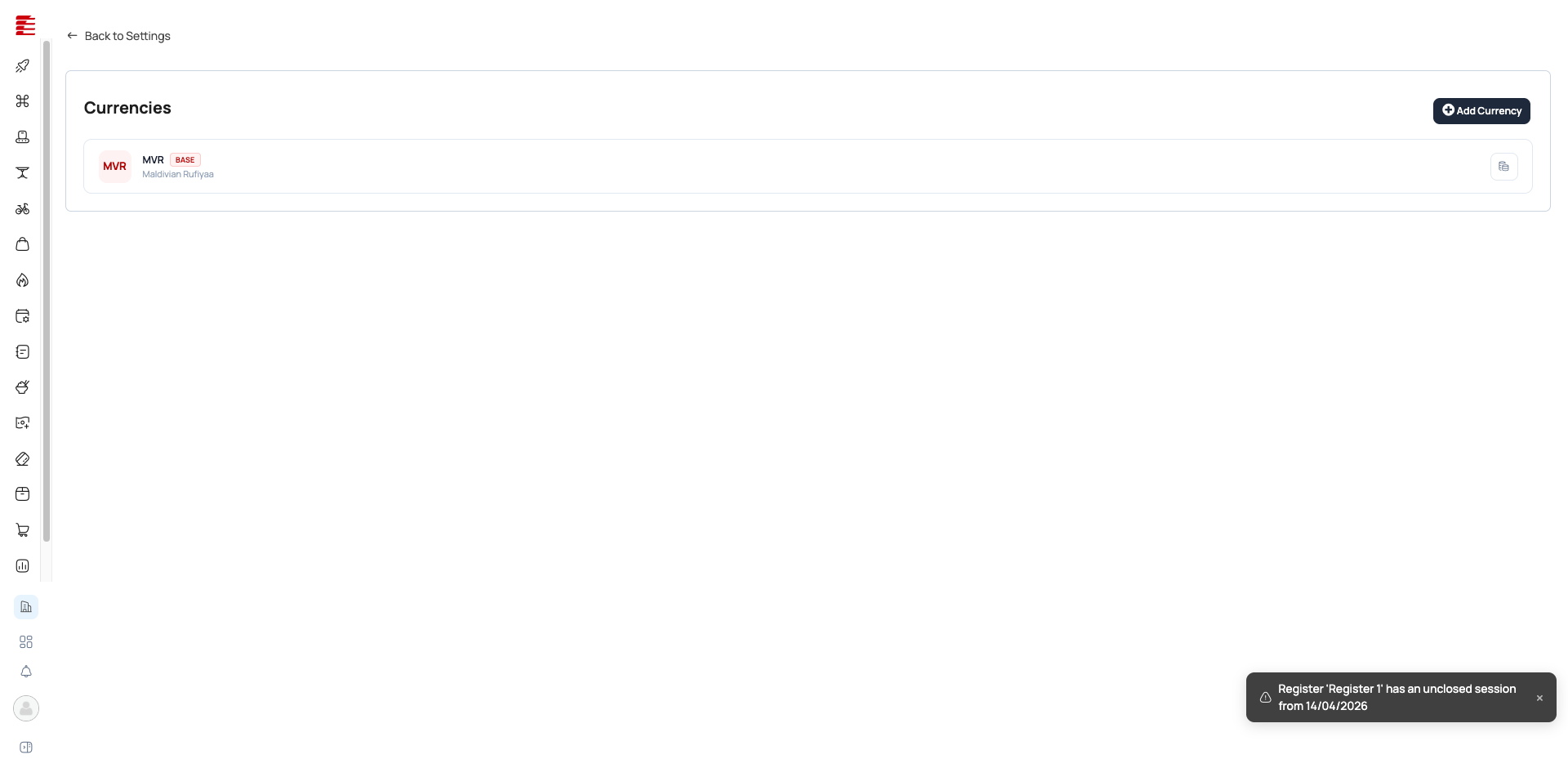
Currencies page — showing enabled currencies with exchange rates

The legacy app.foodops.io Currencies page is retired at the July-2026 launch. The admin backoffice Currencies page is backed by hubits-api-sales SettingsController (currencies + currencies/{id}/denominations endpoints).

Configuration

The new-stack Currencies page has two parts: a currency list (left) and a denominations manager (right) for the selected currency.

Currency list (read-only columns)

Each enabled currency shows:

Column Meaning
Code ISO 4217 (MVR, USD, EUR, GBP, etc.)
Name Currency name
Rate Exchange rate against base, shown to 4 dp (exchangeRate.toFixed(4))
Base "Base" badge on the org's base currency (isBaseCurrency)

Warning: No in-page currency add/edit form The admin Currencies page lists currencies and their exchange rate but does not expose an add-currency or edit-exchange-rate dialog (CurrenciesPage.tsx has no currency form — only a denomination form). Enabling a currency / changing its exchange rate is not done on this page in current code; the symbol is shown (selectedCurrency.symbol) but isn't editable here either. Where exchange-rate editing surfaces is not first-party-confirmed — treat as residual.

Denominations (per currency) — NEW

For the selected currency you manage its cash notes and coins (used for cash transactions / counting):

Field Purpose
Value The denomination value (must be > 0)
Type Note or Coin
Display name Optional label
Sort order Ordering in pickers
Active Toggle on/off

[code: foodops-admin-app/apps/admin/src/components/settings/organization/CurrencyDenominationFormDialog.tsx; pages/settings/organization/CurrenciesPage.tsx @ main]

Warning: Exchange rates are manually maintained Foodops doesn't auto-fetch live forex rates. Stale rates cause reporting drift. (See the note above — the exchange-rate edit surface is not on this page in current code.)

How multi-currency flows through the system

  • Supplier on USD: PO priced in USD → Bill in USD → Payment recorded in USD → AP reports show both USD amount and MVR equivalent at the PO-date rate
  • Customer on EUR: Invoice in EUR → Payment in EUR → AR reports show both
  • POS transactions: always in the org's base currency (MVR). Multi-currency at the POS counter isn't supported — convert at the register or use a payment gateway that handles FX

Key concepts

  • Base currency — the org's home currency (MVR for Maldives orgs). All reports ultimately convert to this for consolidated views.
  • Transaction currency — the currency used on a specific PO, Bill, or Invoice. Drives the amount on the document; converted to base at the document's exchange rate for reporting.
  • Exchange rate — manually entered; frozen at document-creation time (PO, Invoice, Bill). Changing the rate in Settings doesn't retroactively update existing documents.

Common questions

Q: Can I accept USD at the POS counter? A: Not directly — POS transactions are in MVR. For multi-currency POS, use a payment gateway that handles FX conversion (customer pays USD card, gateway settles in MVR to your account).

Q: How often should I update exchange rates? A: Depends on volatility. MVR is pegged to USD within a band, so monthly is usually fine. For EUR/GBP, weekly or daily during volatile periods.

Q: Does changing the exchange rate affect past transactions? A: No. Each document freezes the rate at creation time. Changing the rate only affects future documents.

Q: Can I have a customer priced in USD but report revenue in MVR? A: Yes — that's the default. The customer's invoices show USD; your reports show the MVR equivalent at the invoice-date rate. Both numbers are preserved.

Success: Verified 2026-04-16 · playwright Status: stable · Review due: 2026-07-15

Note: Code-verified 2026-05-04 · codebase Verified_by: codebase · Last verified: 2026-05-04 · haafai.app.foodops:4fdfac7 Curated source_repos[] glob to Haafai.Sales/Areas/Settings/{Controllers/CurrenciesController.cs,Views/Currencies/**} (the actual Razor monolith path; previous glob was a placeholder). No commits to the curated path since 2026-04-15 — last touch was 4fdfac7 2026-03-24 (mappers/view-model refactor, no behavior change). HIGH-drift flag was a false positive from broken globs. UI-level details unchanged from the 2026-04-16 playwright pass.

Note: Re-pointed after backend microservice split 2026-06-03 · codebase Verified_by: codebase · Last verified: 2026-06-03 · haafai.app.foodops:bf7c9d2 + foodops-admin-app:f3ae3e9 Added haafai/foodops-admin-app (backoffice settings UI, prod main) with glob apps/admin/src/{pages/settings/organization/CurrenciesPage.tsx,components/settings/organization/CurrencyDenominationFormDialog.tsx} — the React backoffice now hosts the currencies list + currency-denomination form. Paths verified via gh api ...?ref=main. Monolith glob still resolves on main; re-pinned to prod HEAD bf7c9d2. Did NOT add foodops.api or hubits.microservices.

Important: Re-verified 2026-06-29 · codebase — NEW-STACK re-point (legacy app.foodops retired) Verified_by: codebase · foodops-admin-app:f6ffd0b + hubits-api-sales:19190b9 Legacy haafai.app.foodops removed from source_repos. CHANGES: (1) URL /settings/currencies/settings/organization/currencies, page moved to the Accounting settings group; (2) corrected the "Configuration" section — the admin page is a read-only currency list (Code / Name / Rate / Base) plus a per-currency denominations manager (Notes/Coins — NEW, not previously documented); (3) flagged that there is no in-page currency add / exchange-rate edit form in current admin code. RESIDUAL: the exchange-rate editing surface and how a new currency is enabled are not first-party-confirmed — flag for orchestrator re-check.

Related

  • Settings Overview — configuration location
  • Suppliers & POs — supplier default currency
  • Customers & CRM — customer default currency

Go beyond POS.
Choose the total solution.

Focus on creating the best experience for your guests while we handle the rest.