

Plain-English summary
Foodops has two discount layers: named discount rules (e.g., "Happy Hour 20%", "Staff Meal 100%") that are pre-configured and applied at the POS with one tap, and discount reason types that force the cashier to pick a justification whenever they apply an ad-hoc discount. Together they balance promotional flexibility with audit discipline — staff can give discounts, but every discount is tagged with a why.
When you'd use this
- Setting up promotional campaigns (happy hour, loyalty day, seasonal offers)
- Controlling ad-hoc discounting at the POS (require a reason to prevent "10% off for no reason")
- Staff meal policy — a named 100% discount with reason "Staff Meal"
- Analysing discount leakage in reports — which reasons are over-used?
How to access
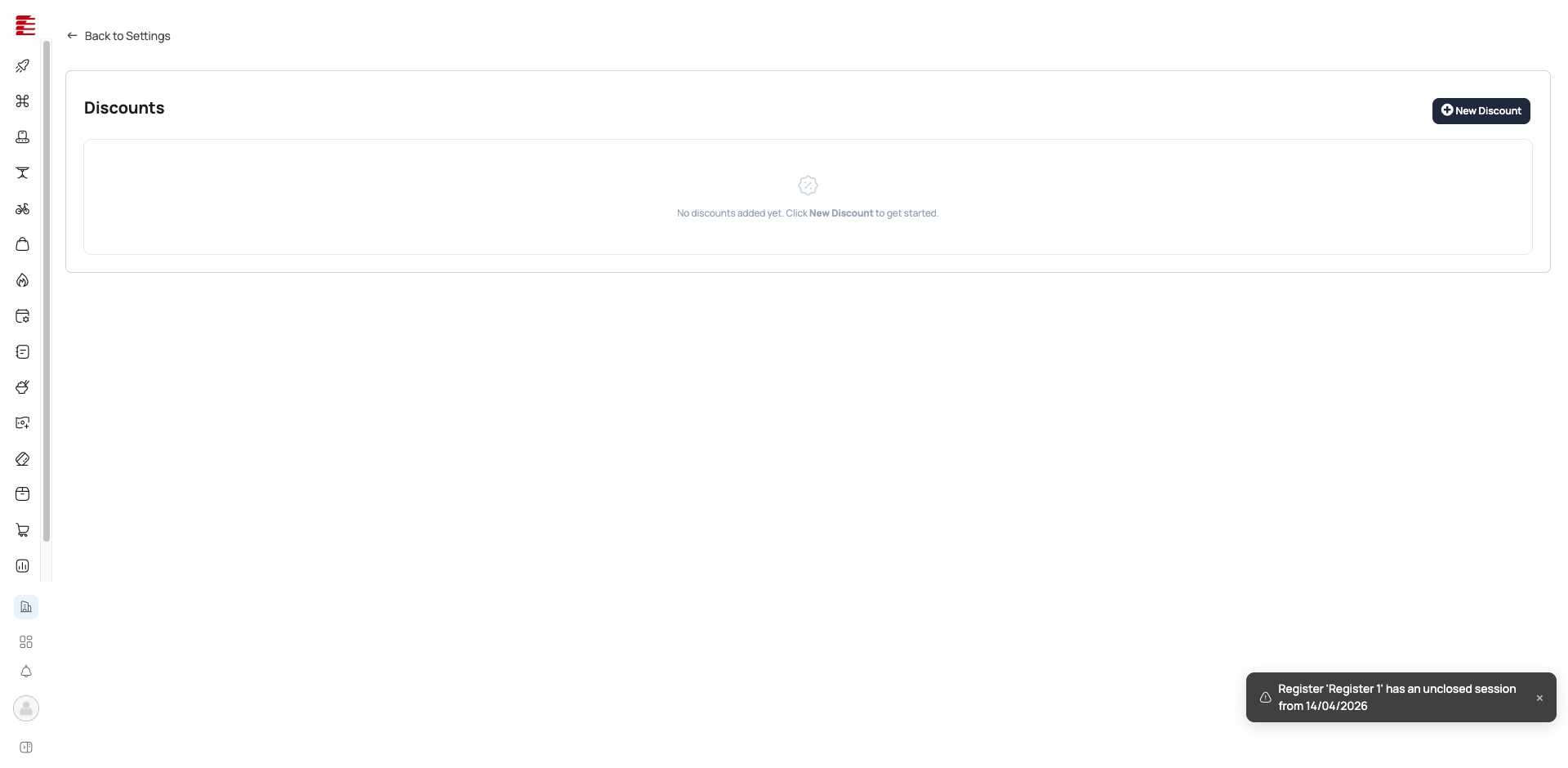
- Discount rules:
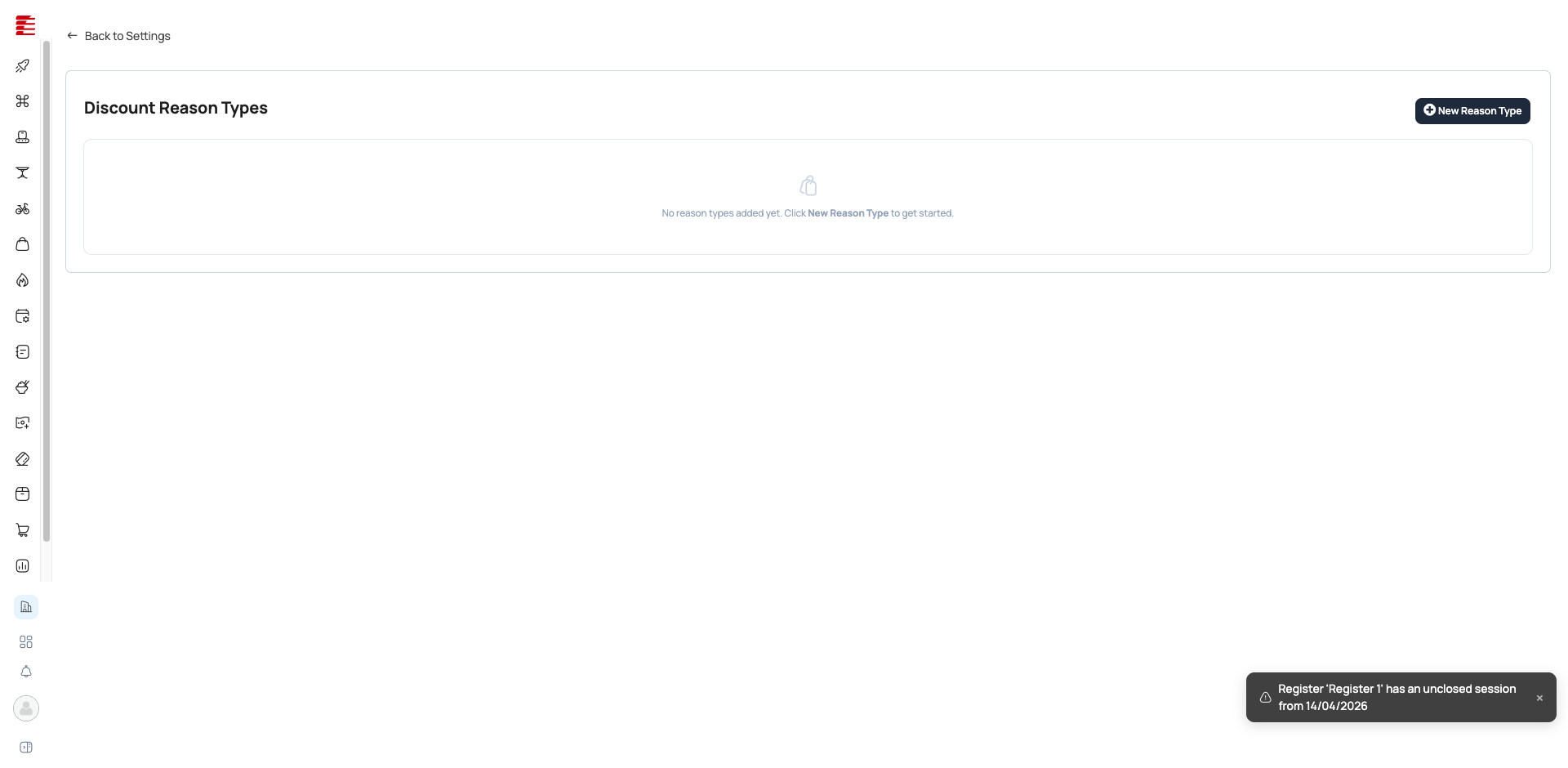
/settings/discounts/list(admin backoffice — admin.foodops.io) - Discount Reason Types:
/settings/discounts/reason-types - Sidebar: Settings → Discounts section
The legacy
app.foodops.iodiscount pages are retired at the July-2026 launch. Both pages (Discounts + Discount Reason Types) now live in the admin backoffice under the Discounts settings group (settingsNavConfig.tsgroupdiscounts); discounts are applied at the counter (foodops.counter.app).


Two-part system
Part 1 — Named discount rules (/settings/discounts/list)
Pre-configured rules with parameters:
| Field | Purpose |
|---|---|
| Name | Display label (e.g., "Happy Hour 20%", "VIP 15%") |
| Type | Percentage or Fixed Amount |
| Value | The discount (20% or MVR 10.00) |
| Applies to | Order-level or line-item-level |
| Active period | Optional date range (start/end) for time-boxed campaigns |
| Outlet scope | Which outlets this discount is available at |
At the POS, the Discount button shows a picker with all active named discounts. One tap applies it; no manual entry needed.
Part 2 — Discount Reason Types (/settings/discounts/reason-types)
When a cashier applies an ad-hoc discount (typed manually, not from a named rule), Foodops forces them to select a Reason Type. This is the audit gate.
Common reason types to configure:
- Manager Approval
- Customer Complaint
- Staff Meal
- Loyalty Reward (manual)
- Damaged Item
- Price Match
Without any reason types configured, ad-hoc discounts can be applied without justification — the audit trail loses its "why".
How discounts stack
At the counter (POS), discounts come from three places — the order, its line items, and any loyalty program. A customer's own stored standing discount is NOT auto-applied by the counter pipeline: order pricing never reads the customer record's discount ([code: hubits-api-sales/Hubits.Sales.Api/Services/Counter/Orders/OrderCreationService.cs — only order-level viewModel.DiscountId, line-item DiscountId, and loyalty DiscountId are consulted; the customer's own DiscountId is not], see Customers & CRM).
| Layer | When applied | Relationship |
|---|---|---|
| Named discount rule (order-level) | One-tap at POS | Base order discount |
| Line-item discount | Per-line at POS | Applies to specific lines |
| Ad-hoc manual discount | Typed + reason-picked at POS | Stacks per the Apply-Discount dialogs |
| Loyalty program discount | Automatically, when an enrolled program's rules match | Separate loyalty path |
Warning: Stacking can over-discount An order-level "Happy Hour 20%" rule + a 5% ad-hoc "Manager Approval" + a line-item discount can combine to over-discount an order — Foodops allows this (there's no global max-discount cap); enforce limits via policy, not software. Note: a customer's stored standing discount does not enter this stack automatically — the counter never reads it, so it must be applied per-order like any other discount (or delivered via a loyalty program).
Key concepts
- Named discount — pre-configured rule; predictable, auditable, one-tap at POS
- Ad-hoc discount — manually entered; requires a Reason Type for audit; higher scrutiny in reports
- Reason Type — the "why" tag. Configured centrally; enforced at POS; reported per-reason for leakage analysis
- FOC (Free of Charge) — a 100% discount variant. Tracked separately from discounts in the Day Summary report because tax treatment may differ
Common questions
Q: What's the difference between a discount and a price list? A: A discount is a percentage/amount off the base price, applied at the order. A price list replaces the base price entirely. Discounts are visible on the receipt as "Discount: -MVR X"; price-list prices are invisible (customer sees the list price as if it's the normal price). Discounts are Foodops + Shops; Price Lists are Shops-only.
Q: Can I limit who can apply discounts?
A: Caution — in the new counter there is no visible role-permission gate on the discount button. POS discounts are applied per-order / per-line via the "Apply Discount" dialogs (BillDiscountDialog.tsx, ApplyDiscountModal.tsx), and no "Apply Discount" permission check was found in the current counter code. A legacy "Apply Discount" role gate may have been retired with the monolith. Until re-confirmed, treat discount control as a policy matter (reason types + reporting), not a hard software gate. (Flagged for re-verification.)
Q: Why did applying a 100% discount make the bill close instead of staying open?
A: A 100% discount doesn't literally close the bill — it zeroes it, and the counter treats a bill with nothing left to collect as fully paid (Outstanding <= 0.01 reads as Paid, OrdersController.cs:1765). The Pay and Settle buttons disappear, the bill shows Paid, editing locks, and Close Order becomes the only action left — so in practice it goes straight to closed without a payment step, and without any receipt or invoice being recorded. If you're comping the whole order, use FOC from the order's ⋯ More-options menu instead (see below). Note a percentage discount does not remove delivery fees or fixed service charges — bills carrying those keep a balance and stay open as normal.
Q: How do I handle FOC (comped meals)?
A: Use the dedicated FOC action in the order's ⋯ More-options menu — not a 100% discount. FOC requires a named customer (it's blocked for Walk-In), records a zero-value invoice so the comp shows up in reports and settlement, then closes the order (OrderPaymentController.cs:1220-1248). A "FOC — 100%" named discount zeroes the bill with no invoice at all, so the giveaway vanishes from reconciliation. A "Complimentary" Reason Type is still useful for partial comps applied as discounts.
Q: How do I see which staff member gave the most discounts? A: The Discount report (part of Sales Reports) groups by user + reason type. Outliers surface quickly.
Q: Can a discount apply automatically at the counter (no tap needed)?
A: The counter does not auto-apply a customer's stored standing discount — the order-pricing pipeline never reads the customer record's discount ([code: hubits-api-sales/OrderCreationService.cs — only order-level, line-item, and loyalty DiscountId are consulted], see Customers & CRM). The standing-discount field can be stored on the customer, but it is not pulled onto counter orders automatically; it must be applied per-order like any other discount. Named discounts are one-tap, not zero-tap. The one genuinely hands-off path is a loyalty program, which applies its own discount when its rules match.
Q: I applied a 100% discount and now the bill won't let me save or edit it — it only offers Close. How do I keep it open? A: That's expected behaviour, not a bug. Once a discount brings the amount owed down to zero, Foodops treats the bill as fully paid — the Pay and Settle buttons disappear, editing locks, and Close Order becomes the only action left. The discount didn't "close" anything by itself; there's simply nothing left to collect, so the till funnels you straight to Close. Two things worth knowing:
If you need the bill to stay open, don't zero it out. A percentage discount does not remove a delivery fee or a fixed service/adjustment charge — a bill still carrying one of those keeps a balance and stays open and payable as normal. So the difference between a 100% bill that "closes" and one that stays open is usually whether a delivery fee or extra charge remains on it.
If your goal is to comp the whole order (give it away free), use the FOC action in the order's ⋯ More-options menu instead of a 100% discount. FOC records a zero-value invoice so the comp still appears in your reports and end-of-day reconciliation, then closes the order — whereas a plain 100% discount closes with no invoice at all, so the giveaway vanishes from your records. FOC needs a named customer (it's blocked for Walk-In).
2026-08-23 · codebase —
hubits-api-sales(ecfea28..0f25183) adds a new endpointPOST /orders/{orderId}/change-discount(OrdersController.cs,ChangeOrderDiscount) enabling a discount to be applied to an ALREADY-OPEN order from the order-details view, without rebuilding the order's line items (mirrorsChangeOrderLoyalty's header-only-update shape). This is a genuinely new discount-application path beyond the POS Apply-Discount dialogs (BillDiscountDialog.tsx/ApplyDiscountModal.tsx) and warrants a row/note in the 'How discounts stack' section. It is additive-only by design: it refuses (returns 200,Applied=false, with aReason) rather than replaces whenever the order already carries a discount (order.DiscountValue > 0), has a loyalty redemption (LoyaltyProgramId), has received any payment (anyInvoice.InvoicePayments), or is closed/cancelled — so it cannot be used to override an existing discount or to re-price a partially-paid bill. No role/permission check is visible in this diff (only these business-state guards), consistent with this entry's existing 'no visible role-permission gate' finding, but that's not newly confirmed here since the controller's authorization attributes aren't shown. The rest of the diff (CORS addition, print-template Include-graph fix, an invoice-settlement threshold change inUpdatePayment, and a credit-limit double-count fix for already-invoiced retries) is unrelated to discount behavior and doesn't touch this entry's pinned 100%-discount/close/FOC chain (SalesOrderLineItem.cs,SalesOrder.cs, and theOrdersController.cs/OrderPaymentController.csline ranges this entry cites are untouched by these hunks). Flag for a follow-up pass: confirm whether the new endpoint is reachable from the counter UI yet, and if so, document it as a third 'when applied' row alongside named/line-item/ad-hoc discounts. (auto-applied by the truth pipeline; adversarially gated)2026-08-09 · codebase —
hubits-api-sales(5889642..cdb3b32) adds a NEW auto-close-on-settlement mechanic toOrderPaymentController.cs/OrdersController.cs: an order that has already reached its terminal service status (dine-in Served / takeout Picked / delivery Delivered) is now auto-closed viaCloseOrderInternalthe moment it's paid or put on credit (Pay/CreditMakePaymentnow returnsOrderClosed = payAutoClosed/creditAutoClosedinstead of alwaysfalse), and symmetricallyChangeStatusnow calls a newTryCloseIfTerminalAndSettledAsyncto auto-close when a terminal status is reached on an already-settled order — 'whichever of the two happened last' per the inline comment. This is additive and does not touch the code paths this entry's chain is pinned to (CloseOrder@3527-3651's no-invoice close,isPaidderivation atMapToOrderSummaryDto, or the FOC path), so no existing claim is contradicted. But it's in-scope and worth a future check: does a 100%-discount-zeroed order (alreadyisPaidviaOutstanding <= 0.01, per this entry's core chain) get swept into this same auto-close path if its status later reaches a terminal service state — i.e. does the manual 'Close Order is the only action left' framing in the entry's Q&As still hold, or can such an order now close itself without a click? The diff doesn't exposeTryCloseIfTerminalAndSettledAsync's orCloseOrderInternal's body, so whether that auto-close path also produces no invoice (consistent with the entry) is [unverified] — flag for the next codebase pass rather than editing now. (auto-applied by the truth pipeline; adversarially gated)2026-07-17 · codebase — re-verified the 100%-discount → close-with-no-invoice chain against current prod HEAD (
foodops.counter.app@a974d67+hubits-api-sales@99e6847+haafai.domain@4087060). Behaviour UNCHANGED since the 2026-07-05 pass; only line numbers moved. Current pins: line net/GST zero atSalesOrderLineItem.cs:362-411; order-levelDiscountValue == 100zeroes the service charge atSalesOrder.cs:687-691;isPaid = order.Outstanding <= 0.01mnow atOrdersController.cs:1778(was:1765; duplicated at:2408);CloseOrderflips status to Closed + frees the table with no invoice/receipt atOrdersController.cs:3527-3651(was:3510-3581); empty-tender payments rejected atOrderPaymentController.cs:297-311; FOC blocks Walk-In and creates a zero-total invoice then closes atOrderPaymentController.cs:472-491+ProcessFOC:1298-1442. UI funnel re-confirmed infoodops.counter.app/src/components/orders/OrderDetailsPanel.tsx:685,689-712,1595,3251-3254(Pay/Edit hidden, Close shown onceisPaid); FOC menu item disabled for Walk-In atOrderDetailsPanel.tsx:3277. NEW (now code-grounded): a percentage discount never zeroes delivery fee (FreightAmount) or manualAdjustment, and the service charge is zeroed ONLY at an exact order-levelDiscountValue == 100—SalesOrder.cs:712,721fold freight + adjustment + service intoGrossTotal/Outstanding, so a 100%-discounted bill still carrying a delivery fee keepsOutstanding > 0and stays open/payable. This grounds the entry's existing "does not remove delivery fees or fixed service charges" note and drove the new "won't let me save or edit… how do I keep it open?" Q&A. One [unverified]: the write path that sets a manually-applied preset discount's order-levelSalesOrder.DiscountValueto exactly100was not located in these three repos (only the FOC path provably sets it) — affects only the service-charge-zeroing edge, not the core close behaviour. (Track B sprint, 2026-07-17.)2026-07-14 · codebase —
foodops-admin-appdiff2e6faec..4136a33adds a new optional Description field to named discount rules (DiscountFormDialog.tsx): a textarea persisted viadiscountService.create/update, shown as a subtitle under the discount name on/settings/discounts/list. The list table also gained a Type column rendering a 'Percentage'/'Fixed' badge per row (DiscountsPage.tsx, confirmed by new tests inDiscountsPage.test.tsx). Neither change contradicts the entry's existing field table (Name/Type/Value/Applies-to/Active-period/Outlet-scope) — Description is additive. Worth adding a Description row to the Part-1 field table on next full pass; not urgent since it doesn't affect documented workflow or behavior. (auto-applied by the truth pipeline; adversarially gated)
Important: Verified 2026-07-05 · codebase — 100%-discount / FOC behavior (response-audit id82, ticket 86ey4y6mr) Verified_by:
codebase·foodops.counter.app:9200293(main) +hubits-api-sales:f8c532e(main) +haafai.domain:53a4e98(staging = active) Full chain verified: 100% discount → line nets/GST zero (SalesOrderLineItem.cs:362-411), service charge zeroed only at exactlyDiscountValue == 100(SalesOrder.cs:687-691),Outstanding = 0→ every read derivesisPaid(OrdersController.cs:1765) → UI hides Pay/Settle/Edit, funnels to Close Order, which closes unconditionally with NO invoice (OrdersController.cs:3510-3581). No auto-close on discount-apply; empty-tender payments rejected (OrderPaymentController.cs:296-310). FOC path creates a zero-total invoice + auto-closes, Walk-In blocked (OrderPaymentController.cs:472-481, 1220-1248). CORRECTED the old FOC Q&A (recommended a 100% named discount — that's the no-receipt path). Product findings routed to eng: no-invoice close + isPaid locking Edit Order.
Success: Verified 2026-04-16 · playwright Status:
stable· Review due: 2026-07-15 Both settings pages verified live on app.foodops.io. Discount Reason Types is empty on test org (expected for a fresh setup); named discounts page renders correctly.
Note: Code-verified 2026-05-04 · codebase Verified_by:
codebase· Last verified: 2026-05-04 ·haafai.app.foodops:4fdfac7Curatedsource_repos[]toHaafai.Sales/Areas/Settings/{Controllers/{Discounts,DiscountReasonTypes}Controller.cs,Views/{Discounts,DiscountReasonTypes}/**}(the real path covering both the named-rules and reason-type pages). No commits to the curated path since 2026-04-15 — last was4fdfac72026-03-24 (mappers refactor, no behavior change). HIGH-drift flag was a false positive from broken globs. UI labels unchanged from 2026-04-16 playwright pass.
Note: Re-pointed after backend microservice split 2026-06-03 · codebase Verified_by:
codebase· Last verified: 2026-06-03 ·haafai.app.foodops:bf7c9d2+foodops-admin-app:f3ae3e9Addedhaafai/foodops-admin-app(backoffice settings UI, prodmain) with globapps/admin/src/{pages/settings/discounts/**,components/settings/discounts/**}— the React backoffice hosts both the Discounts and Discount Reason Types pages plus their form/delete dialogs. Paths verified viagh api ...?ref=main. Monolith glob still resolves onmain; re-pinned to prod HEADbf7c9d2. Did NOT addfoodops.apiorhubits.microservices.
Important: Re-verified 2026-06-29 · codebase — NEW-STACK re-point (legacy app.foodops retired) Verified_by:
codebase·foodops-admin-app:f6ffd0b+foodops.counter.app:32669a9Legacyhaafai.app.foodopsremoved fromsource_repos. CHANGES: (1) URLs/settings/sales/discounts→/settings/discounts/listand/settings/discountreasontypes→/settings/discounts/reason-types(admin backoffice,settingsNavConfig.tsgroupdiscounts); both pages + form/delete dialogs exist underpages/settings/discounts/**+components/settings/discounts/**; (2) softened the role-permission Q&A — the "Apply Discount" role gate was NOT found in the current counter discount components (BillDiscountDialog.tsx/ApplyDiscountModal.tsx/DiscountModal.tsx); likely a retired legacy gate. RESIDUAL/HIGH-ATTENTION: confirm whether ANY role gates discount application in the new stack (counter is offline-first React; no obvious gate). Discount-rule field table not re-read field-by-field againstDiscountFormDialog.tsx— flag for re-check.
Related
- Settings Overview — where both discount sub-pages live
- POS Takeaway Order — where discounts are applied at checkout
- Customers & CRM — standing customer discounts
- Reports Catalogue — Discount and void reports